
letmesee: event photo sharing
AXEL NetworkEvents
4.146.00 Reviews
- Version
- 2.1.9
- Installs
- 100.00K
- Age Rating
- Teen
Screenshots
Our Review of letmesee: event photo sharing
 Analysis by Appyee
I’d treat Letmesee: Event Photo Sharing as a shared destination for pictures from one occasion, rather than another general-purpose social feed. That distinction matters: photos from a birthday, reunion, or group outing can end up together instead of scattered across separate message threads. The idea is appealing when several people are taking pictures and nobody wants to chase everyone for copies afterward.
When a shared album solves the problem
Imagine a family gathering where relatives arrive at different times, take pictures on their own phones, and leave with different snapshots of the day. A group chat can handle quick updates, but the best photos soon disappear between plans, jokes, and unrelated messages. A dedicated event space gives everyone a clearer place to contribute and look back.
That makes this kind of tool especially useful when the group is temporary and the photos belong to a particular occasion. I’d consider it for a birthday dinner, a school reunion, or a casual trip with friends. If the goal is simply to send one picture to one person, a direct message is quicker; if several guests are collecting memories together, a shared event album is a better fit.
Getting everyone from invitation to upload
The organizer’s job is not finished when an event is created. Guests need to know where to find it and what to do once they arrive. I’d send the invitation while people are already discussing the event, then explain in one plain sentence that the shared space is where they can add their photos. That small bit of context can prevent the familiar post-event scramble of asking people to resend images.
There is also a useful timing choice: invite people before the occasion if you want them ready to share during it, or bring them in afterward if you prefer to keep setup out of the day itself. For a busy celebration, I’d do the explaining in advance and leave photo-taking informal. The app is most helpful when it supports the event rather than becoming another activity that guests have to manage.
It is worth thinking about the group’s comfort with apps, too. A close-knit group that already shares photos digitally will probably need little guidance. For guests who rarely install event tools, a short explanation from the host may be the difference between a lively collection and an album that only one person uses. I would not assume that everyone will contribute just because the space exists.
Choosing the right sharing habit
Letmesee is an Events app from AXEL Network, offered free, with in-app purchases listed from $0.99 to $14.99 per item. Its Teen content rating is worth keeping in mind when deciding whether it suits a group that includes younger users. The app has a 4.1 average from around 500 ratings, and has passed 100,000 installs, so it has found an audience without being something I’d assume every guest already uses.
Compared with a group chat, an event-focused album can keep pictures easier to browse because the occasion provides the organizing idea. A general cloud photo library may be a stronger choice for people who want long-term storage and a broader archive, while social networks suit users who want public posting and ongoing interaction. I’d choose this app when the priority is gathering event photos among participants, not replacing every other photo service.
One practical habit is to decide who will create the event and make that person the clear point of contact. If several guests independently create spaces for the same gathering, contributions can split before anyone notices. Another is to remind people to add photos while the event is still fresh in their minds; waiting until much later makes it easier for everyone to forget. These are simple organizational choices, but they make a shared collection more complete.
Privacy expectations and group boundaries
Photo sharing is not only a convenience question; it is also a question of audience. Before inviting people, I’d consider whether the event includes children, guests who prefer not to appear in shared pictures, or moments that should stay within a small circle. A private group is most useful when the organizer sets expectations clearly, rather than relying on guests to guess what is appropriate.
That is a social boundary as much as a setting. If someone asks not to be photographed or shared, respect that request before uploading. And if the event involves people who are not part of the group, take care not to treat a shared album as permission to publish their images elsewhere. The app can help gather photos, but good judgment still belongs to the people using it.
A New Way to Share Memories
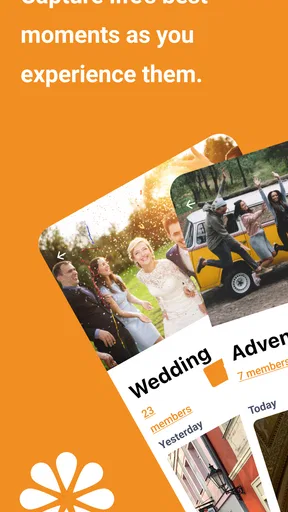
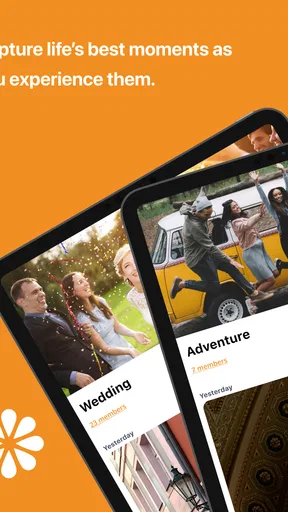
When I first downloaded Letmesee, I was intrigued by its promise. The idea is simple yet genius: a dedicated space where everyone at an event can upload and access photos. Imagine a digital album that updates in real-time, allowing you and your friends to relive the event from multiple perspectives. Pretty cool, right?
Setting Up Your Events
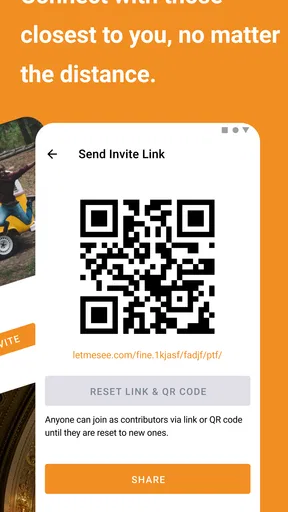
Getting started with the app is a breeze. You just create an event, invite friends, and voilà—everyone can start sharing photos. The interface is intuitive, so even if you're not tech-savvy, you’ll find your way around without a hitch. The app even lets you customize your events with cover photos and descriptions, giving each event its own unique vibe.
Sharing Made Simple
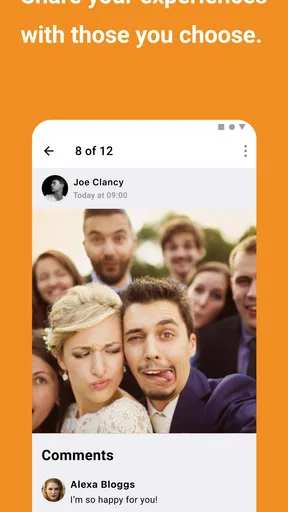
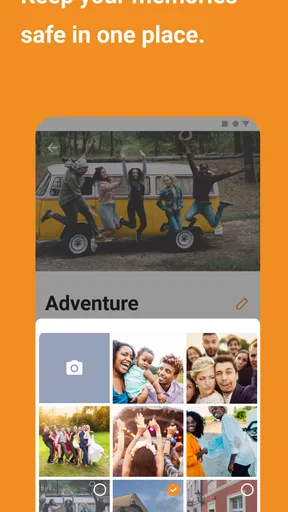
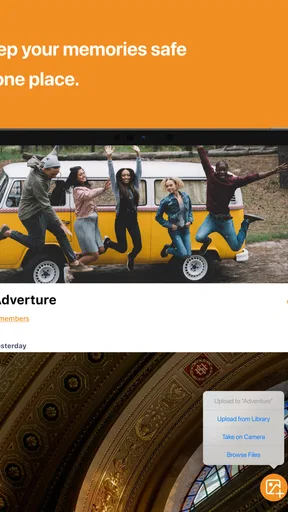
Once you’re in an event, uploading photos is as easy as pie. Just snap a picture or choose from your gallery, and it’s instantly available for everyone in the group. What I love about this is the immediacy. No more waiting around for photos to be emailed or sent via messaging apps. Everything is right there, in one neat package.
Privacy and Control
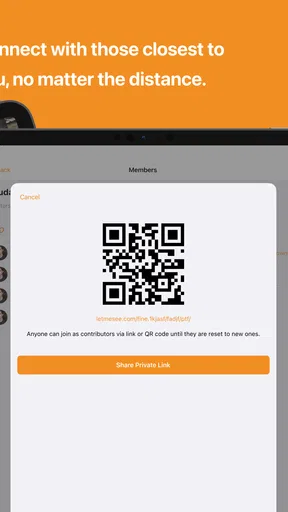
One of the standout features of Letmesee is its focus on privacy. You have full control over who can see your photos, which is a big plus in today's world where privacy concerns are paramount. You can make events private, share them with specific people, or open them up to a wider audience. It’s all about what you're comfortable with.
I would still separate “private” from “risk-free” in my own expectations. A shared space limits the intended audience, but it cannot make every guest handle pictures thoughtfully. Before uploading a candid shot, I’d ask whether the people in it would be comfortable seeing it shared with the event group. That is a particularly sensible check at family occasions or work gatherings, where not everyone has the same relationship with social sharing.
Revisiting Past Events
Another feature I found delightful is the ability to revisit past events. Remember that wedding last summer or the hilarious moments at your cousin’s birthday party? With Letmesee, you can dive back into those memories anytime you want. It’s like having a personal time machine tucked away in your pocket.
For a useful result, I’d think of each event as a chapter rather than a permanent, all-purpose archive. A specific name and a clear cover image can make it easier to recognize the right gathering later, while a short description can help distinguish events that sound alike. If your group holds regular get-togethers, agreeing on a naming pattern—such as the occasion and year—can save everyone from opening several similar-looking collections to find the right one.
Usability and Design
The app’s design is sleek and modern, with a focus on user experience. Navigation is seamless, and the app runs smoothly without any annoying lags. The developers have clearly put a lot of thought into making sure users have a pleasant experience. Plus, the photo quality is top-notch, so you don’t have to worry about losing any of the finer details in your pictures.
In practice, I’d still check that a photo has finished appearing in the shared event before assuming the handoff is complete. That is a useful habit whenever several people are contributing from their phones: it avoids the organizer later discovering that someone thought a picture had been shared when it was only selected. For a large batch, uploading a few at a time also makes it easier to notice whether the right images went into the right event.
There is a small but important trade-off in asking guests to use a separate app. A dedicated place can keep an occasion’s photos tidier than a busy chat, but it adds one more step for people who already have a preferred gallery or messaging routine. I’d make the choice based on the group, not just on the organizer’s preference. If most guests are reluctant to install or open another app, collecting photos through the method they already use may produce more contributions, even if the result is less neatly arranged.
Room for Improvement?
While Letmesee is pretty awesome, there’s always room for a little enhancement. For instance, a more robust editing tool could be a great addition for those who love to tweak their photos before sharing. And maybe a few more customization options for event pages wouldn’t hurt either. But these are minor gripes in an otherwise solid app.
That makes it a better choice for collecting and revisiting pictures than for polishing them. I’d make edits in the camera or photo app I already use, then share the finished image to the event. If you depend on a built-in editing workflow, or want a service that also handles extensive organization and image adjustments, a dedicated photo library may suit you better.
Who should use it—and who should pass
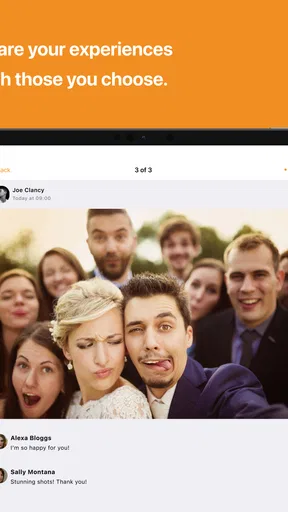
I’d recommend it most to a host who wants one shared place for a defined occasion and is willing to help guests get started. It also suits groups where people enjoy seeing the same moment from different viewpoints: the host’s posed family photo might sit beside a guest’s candid dance-floor shot or a picture taken while everyone was arriving. That variety is the real payoff of asking more than one person to contribute.
I would skip it for a one-to-one exchange, for a group that strongly prefers not to use another app, or when the main need is a broad personal backup library. It is also not a substitute for getting agreement about photos that show other people. The organizer can make sharing easier, but cannot make every guest comfortable with every image or ensure that everybody will take part.
Keeping the collection useful after the day
Once the event is over, the shared album is only valuable if people can find it again. I’d avoid creating vague titles and would give guests a quick reminder of where the collection lives before attention shifts to the next thing. If the gathering is one of several similar occasions, the cover and description can do practical work: they help people identify the right memory rather than merely decorate the page.
For anyone weighing the cost, the app is free to download, while optional in-app purchases range from $0.99 to $14.99 per item. I’d start by using the free experience for a real event and only consider a purchase if a specific need becomes clear. That is more sensible than paying in advance for a feature you may not use, especially if your group is still deciding whether a dedicated event album fits its habits.
The app’s current version is 2.1.9, and it supports Android 6.0 and newer. It was released on September 7, 2017, so it has been around long enough to have a substantial install base, though I’d still check that each guest’s device can run it before planning the whole group’s workflow around it. That small check is particularly helpful when an event includes relatives using older phones.
Overall, Letmesee: Event Photo Sharing is a fantastic tool for bringing people together through shared memories. It’s perfect for anyone who loves capturing moments and wants an easy way to share them with friends and family. So next time you’re planning a get-together, give Letmesee a shot—you might just find it becomes your go-to app for event photos.
Verdict
Strengths of letmesee: event photo sharing
- Easy to set up and use for all ages.
- Real-time photo sharing for events.
- Supports high-quality photo uploads.
- Secure photo sharing with invite-only access.
- No ads to interrupt user experience.
Limitations of letmesee: event photo sharing
- Limited editing tools for photos.
- Requires internet connection to function.
- No video sharing capabilities.
- Some features locked behind premium.
- Limited storage in free version.
Similar Picks in This Category
View All
Easy Quran Mp3 Audio Offline
Muslim Worldapp4.7

Invitation Maker: Cards & RSVP
Greetings Island4.9

StubHub - Live Event Tickets
StubHub4.3

Fever: Events & Tickets
Fever Labs4.7

Epic Freebie Games Radar
Arioch Pds - Apps & Games4.4

Invitation card Maker, Design
Splendid App Maker4.9
Frequently Asked Questions
What is Letmesee and how does it work?
Letmesee is an event photo-sharing app that allows users to easily capture, share, and view photos from events they attend. By creating a shared album for an event, users can invite others to contribute their photos, ensuring everyone has access to all the memorable moments. It’s perfect for weddings, parties, and family gatherings.
Is Letmesee available for both Android and iOS devices?
Yes, Letmesee is available for download on both Android and iOS platforms. Users can find the app on the Google Play Store for Android devices and the Apple App Store for iOS devices. The app ensures a smooth experience across both platforms, making it accessible to a wider audience.
Does Letmesee require an internet connection to function?
While you can take photos offline, Letmesee requires an internet connection to upload and share photos with other users in a shared album. This ensures real-time updates and easy access to the latest photos from the event, enhancing the collaborative experience.
Can I control who sees my photos on Letmesee?
Yes, Letmesee provides privacy settings that allow you to control who can view and contribute to your event albums. You can invite specific people and set permissions, ensuring your photos are shared only with those you choose. This feature provides a secure and private sharing experience.
Are there any costs associated with using Letmesee?
Letmesee offers both free and premium versions. The free version includes basic features like creating and sharing albums, while the premium version offers additional features such as increased storage, advanced editing tools, and ad-free browsing. Users can choose the option that best suits their needs.
